

ACCENT MOBILE APP
The Accent Network app works on most modern Android™ phones, but certain features (like neighbor reporting) are limited on some specific phone models. The mobile app is devided in six different tabs, each with it's own use. An overview of all the tabs is shown below:
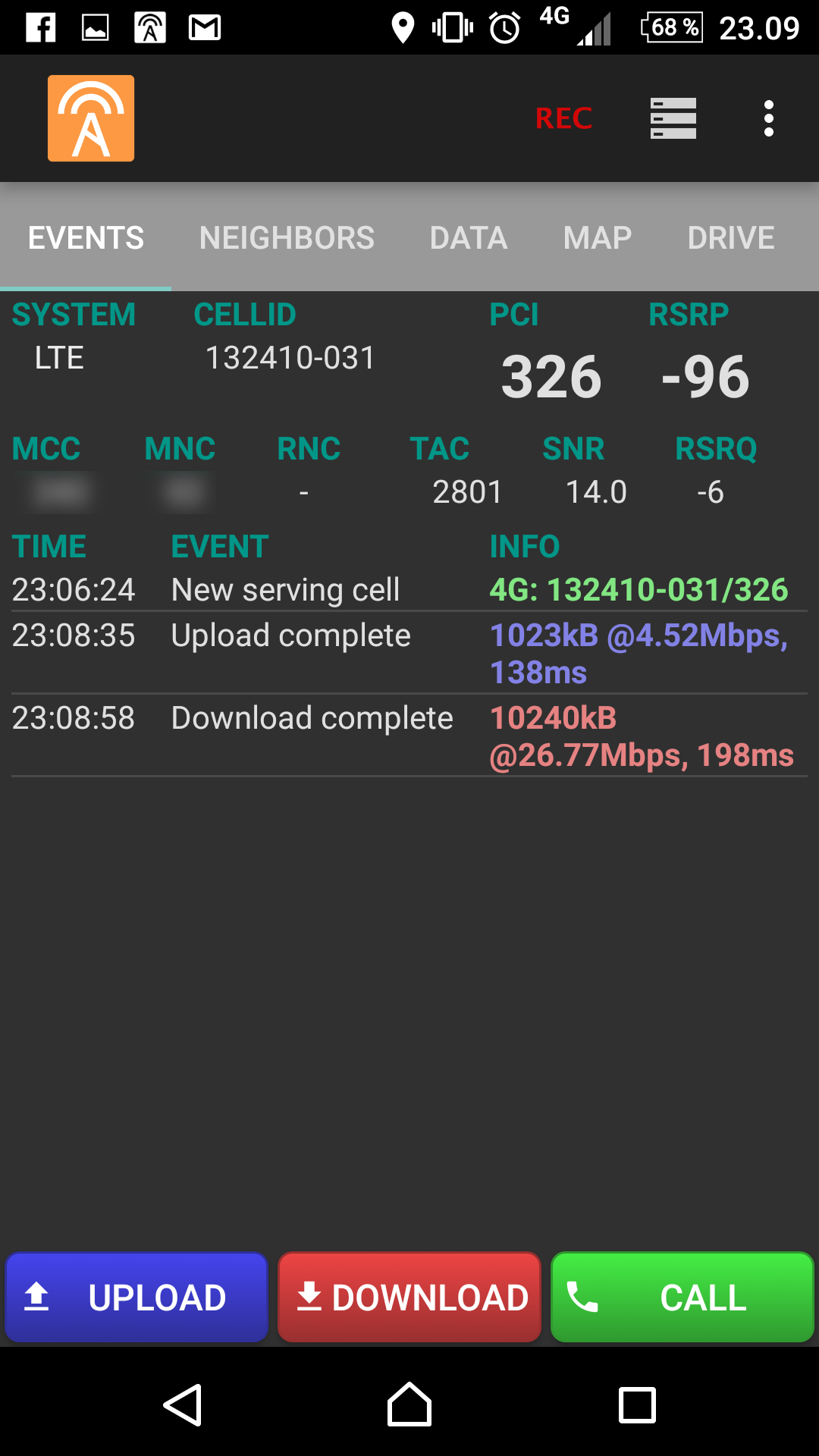
Event Tab
The first tab shows a summary of serving cell information, as well as a list of events. The events are e.g. file upload and download, and cell reselection. If a cellfile is loaded, the serving cell name is shown under the cell ID.
The serving cell information is displayed in other tabs as well.
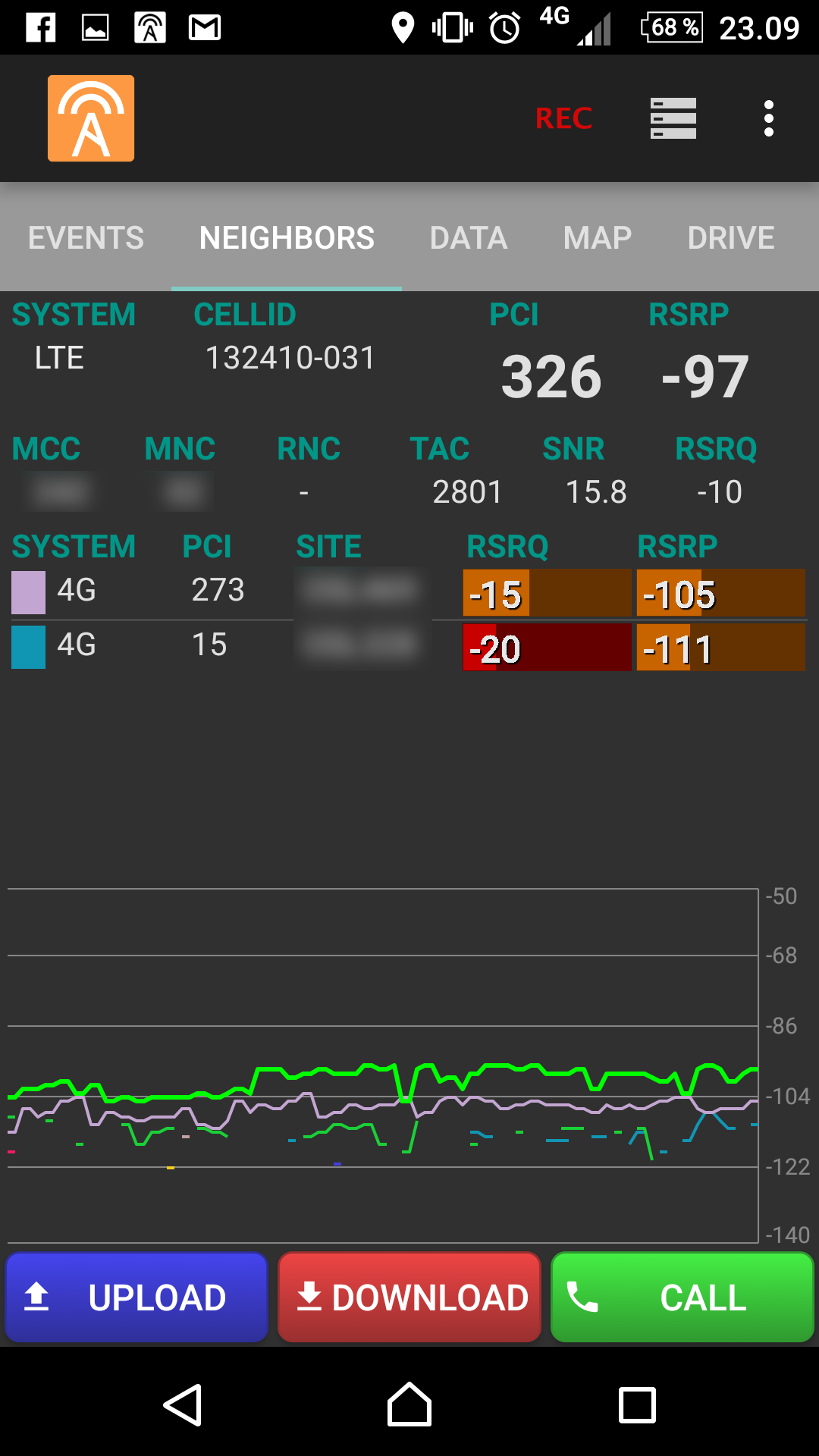
Neighbor Tab
The second tab shows the current neighboring cells. If a cellfile is loaded, the matching site name will also be shown. Two bar-graphs show RX-level and RX-quality for each neighbor, and a line graph shows the difference in RX-level for all the neighbors.
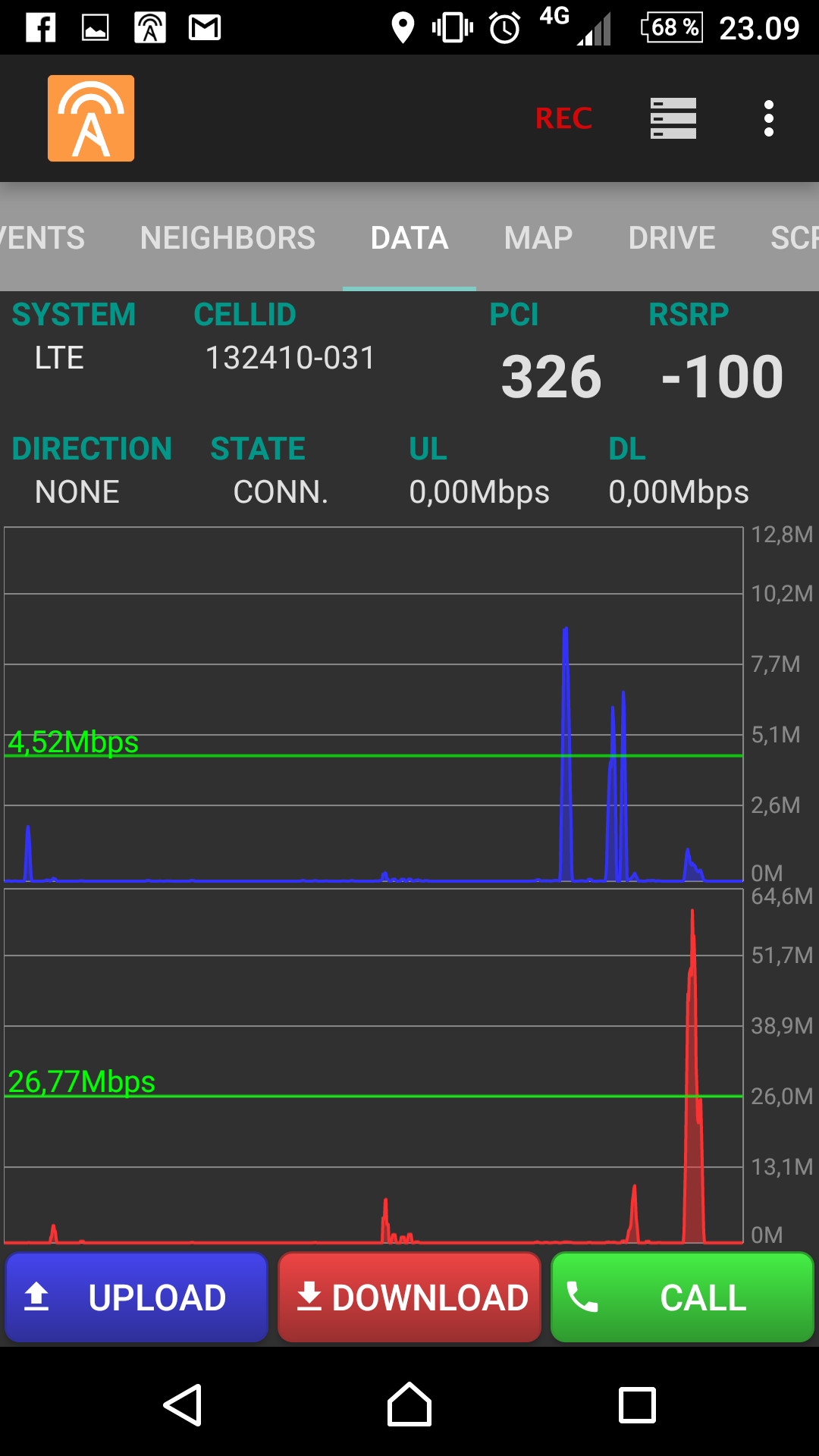
Data Tab
The third tab is the built-in speedtest functionality. It shows graphs for upload and download speed, as well as the average of the last transfer. It also shows the current connection state (IDLE, CONNECTED, DISCONNECTED, etc.), and the momentary upload- and download speed. A shortcut for upload- and download testing can be found in the test toolbar at the bottom of the app.
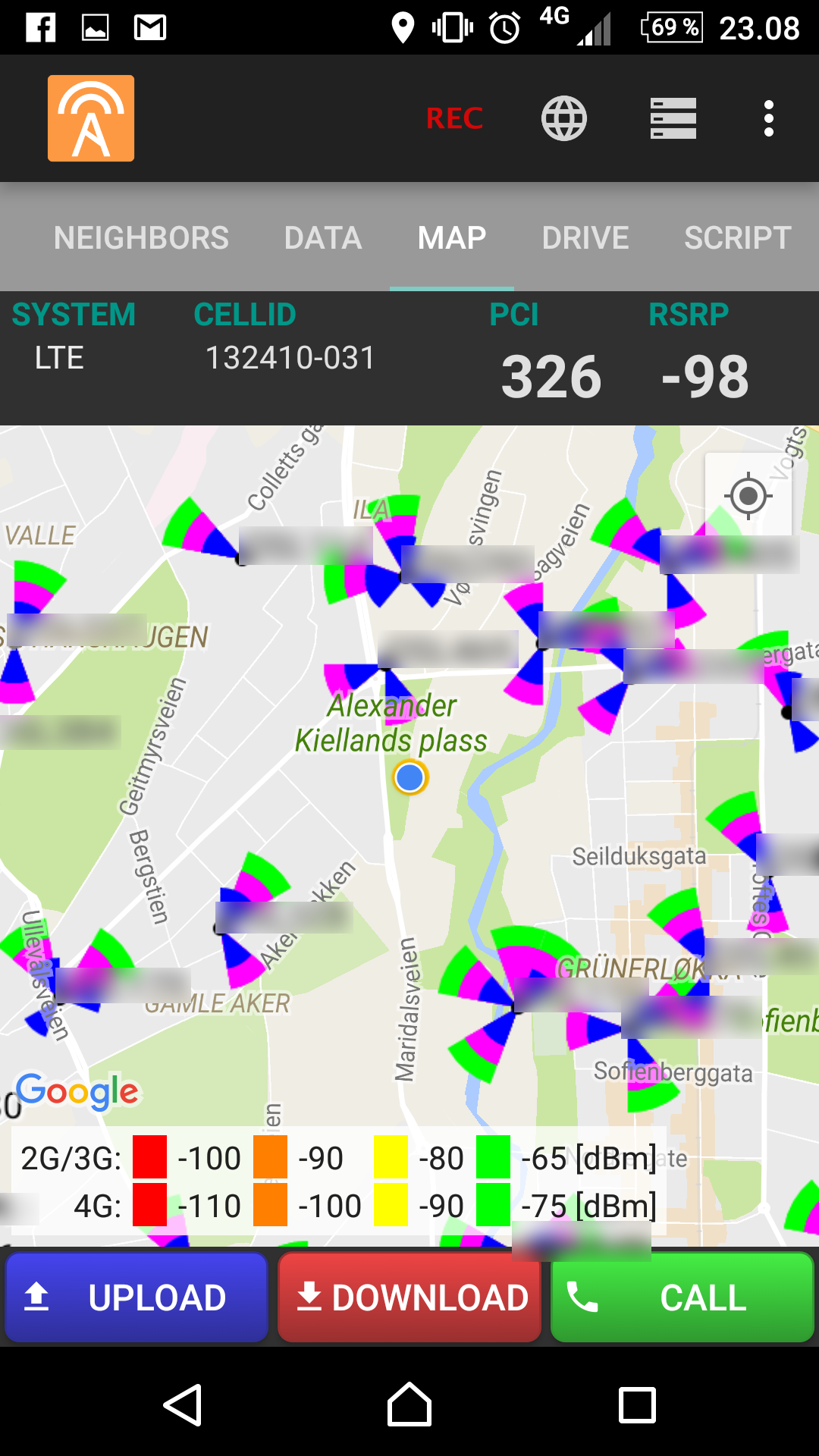
Map Tab
The forth tab displays a map with current position. The measured RX-level for each measurement point is shown colored by signal strength. A legend at the bottom shows the colors for the 2G, 3G and 4G RX measurements respectively. If a cellfile is loaded, sites and cells will be displayed in the map, and a red line will be drawn from the current position to the current serving cell. Events (e.g. speedtest and cell reselection) are shown with markers in the map.
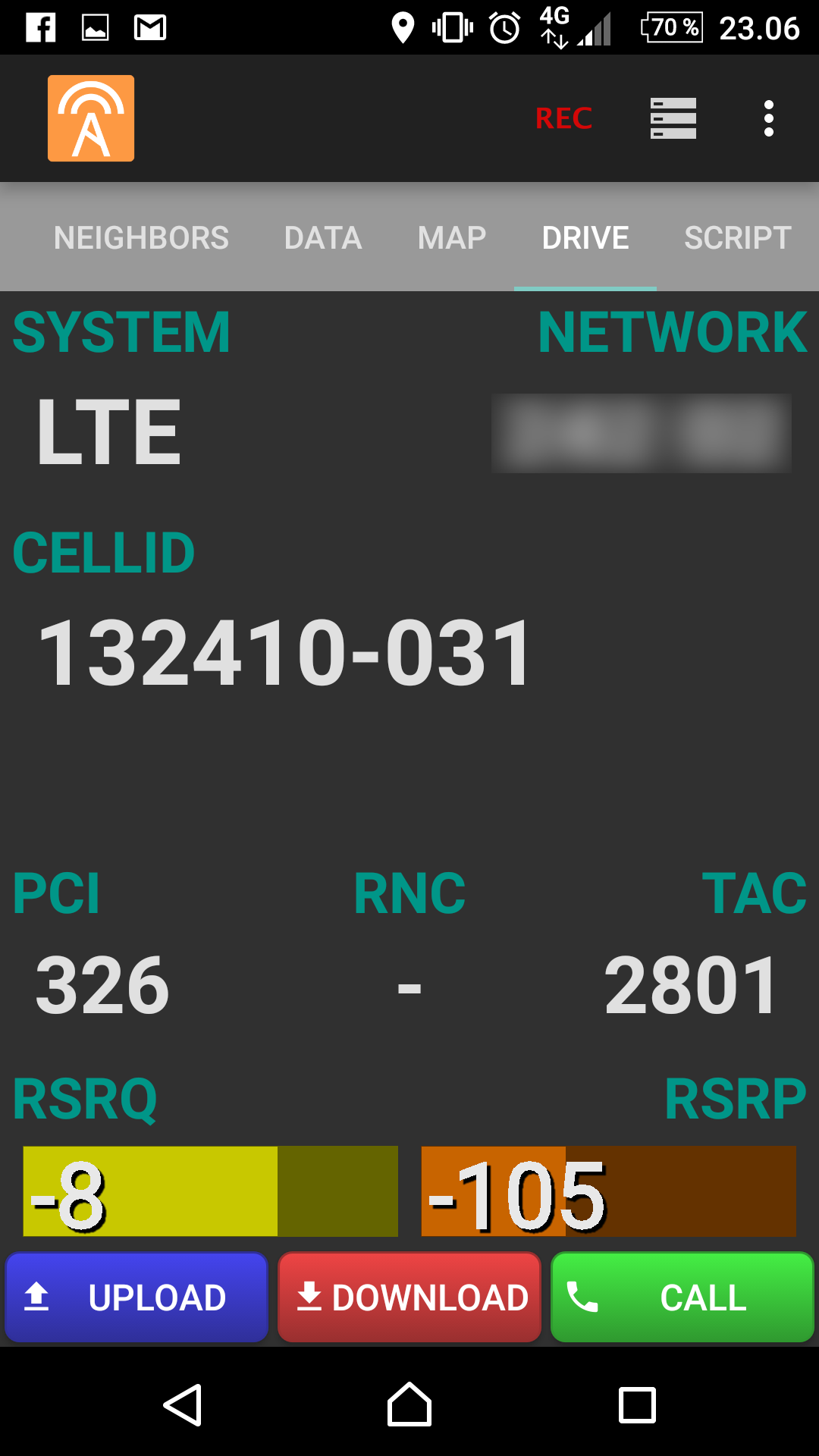
Drive Tab
Tab five is the drive mode where the most important measurement values are shown with big values. This can be very useful when measuring with more than one phone at a time.
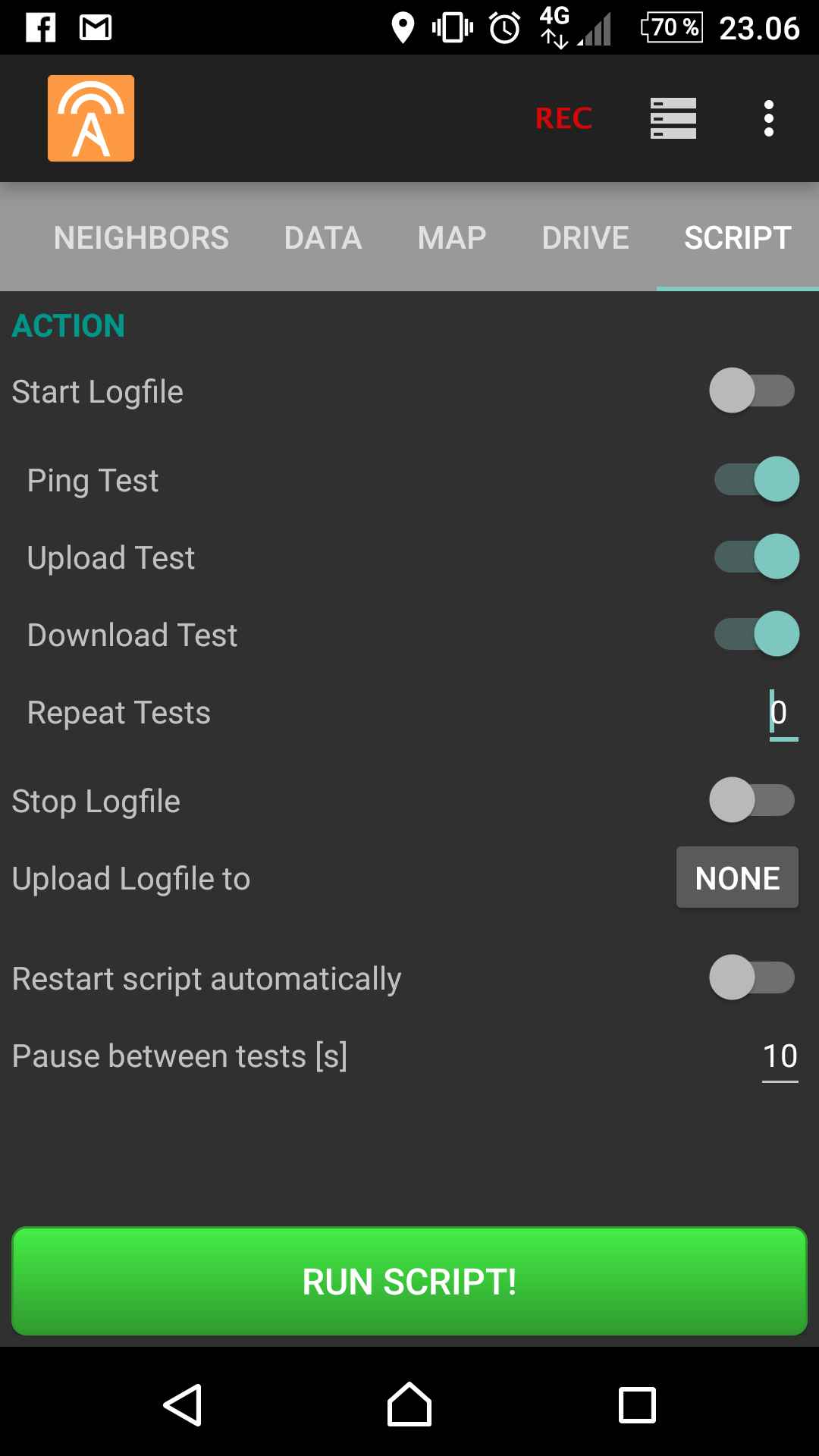
Script Tab (PRO only)
The last tab is used for setting up automatic measurements with a script. Starting and stopping logfiles as well as running different test cases can be executed automatically in sequence. The logfiles can also be automatically uploaded to Accent Web Server or an ordinary FTP server.